What Changed on Your Site? One Timeline, in Plain Language
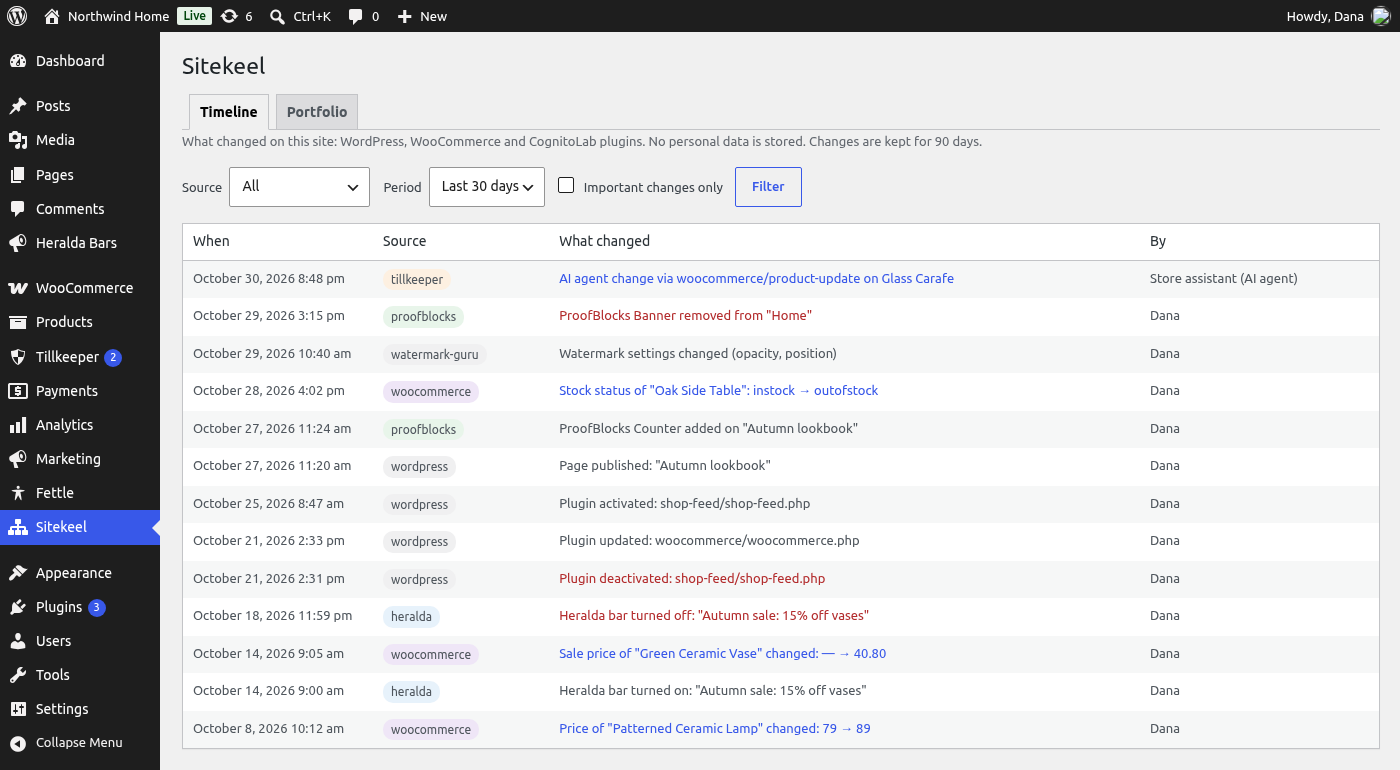
LiveWhen something on a site suddenly looks different, sells less or breaks, the first question is "what changed?". Sitekeel answers it with one readable timeline of plugin, theme, page, product and price changes — with who made each one, and the important ones marked. Sitekeel Pro, coming soon, adds longer history, CSV export and email alerts.
How it works
Download & Install
On GitHub, click Code → Download ZIP, then upload the file under Plugins → Add New → Upload Plugin and activate it.
Nothing to Set Up
The timeline starts filling in the moment Sitekeel is activated. WooCommerce and other CognitoLab plugins are picked up automatically when they are active.
Check the Timeline
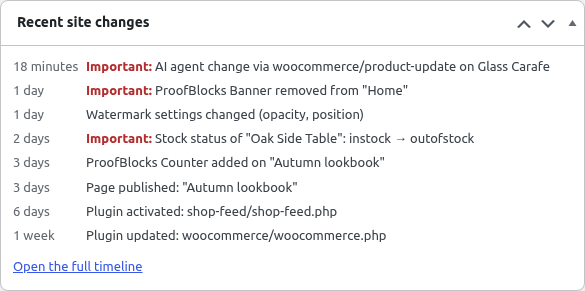
Open Sitekeel in the admin menu, or glance at the Recent site changes widget on the dashboard. Filter to important changes only when you need the short version.
What's included
WordPress Changes
FreePlugins activated, deactivated or updated, theme switched or updated, WordPress updated, pages published or taken offline.
WooCommerce Changes
FreeProducts published or taken offline, and price, sale price and stock status changes.
Promotions and More
FreeHeralda bars turned on or off, rescheduled or retargeted; ProofBlocks banners, counters and pricing tables added to or removed from live pages; Filigrane setting changes; changes AI agents made through Tillkeeper.
Important Changes Stand Out
FreeFilter the timeline to the changes that can take a promotion, a product or the whole shop offline, and see them marked on the dashboard widget.
Who Did It
FreeEvery change shows the user who made it, or "System" for automatic updates.
Portfolio Screen
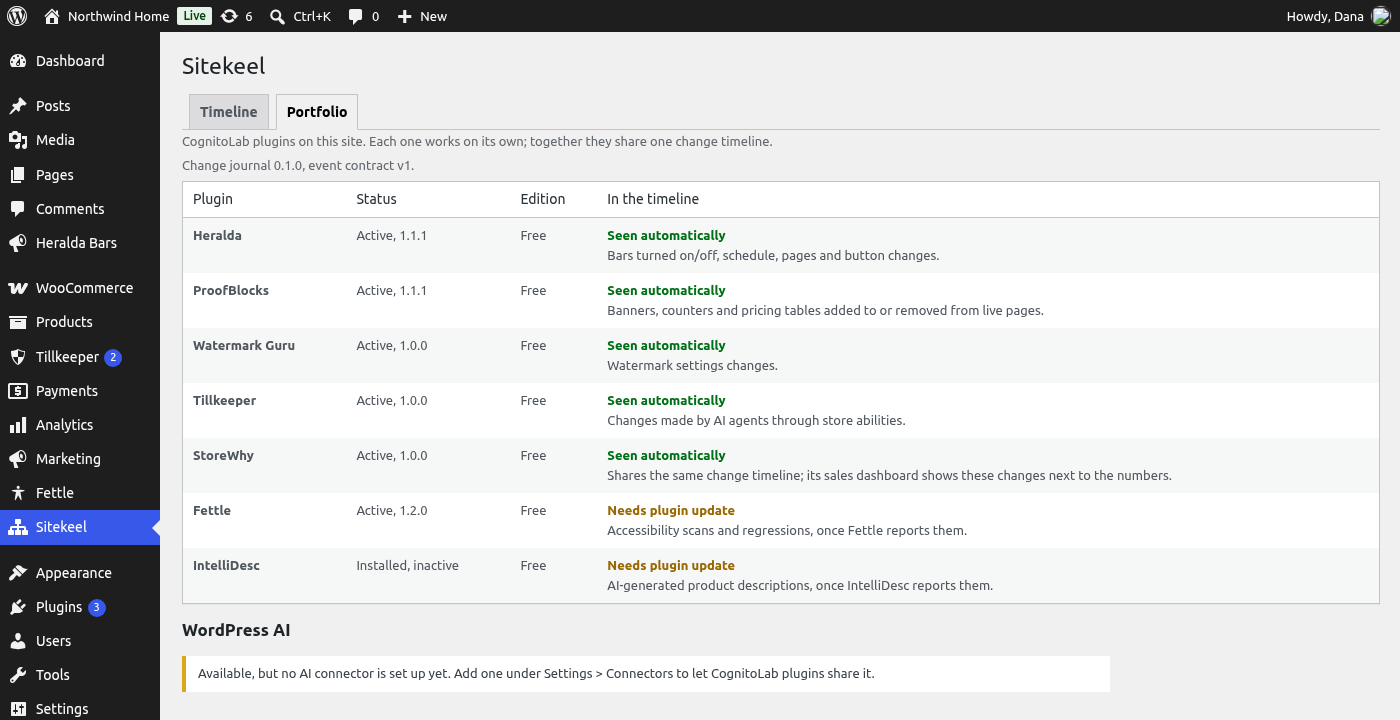
FreeSee which CognitoLab plugins are active, what the timeline can see from each, and whether the WordPress AI Client is ready for plugins that use AI.
Private and Light
FreeStores IDs, types and before/after values of settings only — never customer names, emails, addresses or order contents. Changes are written once at the end of the request, in a single query.
Open to Other Plugins
FreeAny plugin can add its own changes with one do_action call, without depending on Sitekeel. If nothing listens, the call does nothing.
Longer History
ProComing soon. Keep changes for 6 months, 1 year, 2 years or for good instead of the free plugin's 90 days. The timeline's period filter grows with it.
CSV Export
ProComing soon. Download exactly the changes you are looking at — filtered by source, period or "important only" — for an audit, a client report or a spreadsheet.
Email Alerts
ProComing soon. An email when something important happens — a plugin deactivated, the theme switched, a Heralda bar turned off, a banner gone from a live page, a product out of stock, a price changed, an AI agent changed something. At most one email every ten minutes.
Frequently asked questions
Does it record changes made before it was installed?
Does it slow my site down?
How does Sitekeel fit with the other CognitoLab plugins?
What happens to the timeline if I uninstall?
Why download from GitHub and not WordPress.org?
When is Sitekeel Pro available?
Ready to Know What Changed — Before Anyone Asks?
Download Sitekeel free from GitHub and activate it: the timeline starts filling in straight away. Sitekeel Pro with longer history, CSV export and email alerts is coming soon.
Free · Nothing to set up · No customer data stored