Watermark Your Images Without Ever Touching the Originals
LiveFiligrane creates a watermarked copy the first time an image is requested, keeps it in a cache, and swaps it into your pages — so there is nothing to restore, no quality lost on your originals, and turning the plugin off gives visitors the untouched images instantly. Filigrane Pro, coming soon, adds watermark profiles, more layers and rules.
How it works
Download & Install
On GitHub, click Code → Download ZIP, then upload the file under Plugins → Add New → Upload Plugin and activate it.
Design Your Watermark
Go to Media → Filigrane, add text, a logo or both, and check the live preview — rendered by the same engine that makes the real copies.
Switch It On
Tick "Show watermarked images on the front end" and save. Copies are made the first time each image is requested; your originals stay exactly as uploaded.
What's included
Originals Never Modified
FreeWatermarked copies live in their own cache folder and are swapped in at output time. Nothing to restore, no quality lost on your originals, and deactivating the plugin serves the untouched images straight away.
Text and Logo Watermarks
FreeA text watermark, a logo watermark, or both, with {site}, {year} and {url} tokens in the text. Bundled Noto fonts cover Latin, Cyrillic and Greek.
Live Preview
FreeSee the result before you save. The preview is rendered by the same engine that creates the real copies, so what you see is what visitors get.
Placement, Size & Opacity
FreeNine positions, margin, opacity and rotation, with the size set relative to each image and kept within minimum and maximum limits.
Modern Formats
FreeJPEG, PNG, WebP, AVIF and static GIF. GD or Imagick is chosen automatically, and EXIF orientation is respected.
Works However Images Arrive
FreeBecause it acts on the image URL, it does not matter whether images come through the Media Library, an importer, a gallery block or a regenerate-thumbnails run.
Per-Size and Per-Image Control
FreeChoose which image sizes get a watermark, skip small images, and switch watermarking off for any single attachment.
Site Health & Host Fallback
FreeSite Health checks the image library, cache folder and delivery. On hosts that do not pass missing image URLs to WordPress, Filigrane switches to signed URLs automatically.
Watermark Profiles
ProComing soon. Any number of watermark profiles next to the built-in default one, each with its own live preview.
Up to 24 Layers
ProComing soon. Up to 24 text and image layers per profile, each with its own position, size, opacity and rotation.
Rules Engine
ProComing soon. Pick a profile by the post type of the image's parent, a category or other taxonomy term, or the file type. Rules run top to bottom; the first match wins.
Per-Image Profile Choice
ProComing soon. On every attachment, choose automatic, the default profile, no watermark, or any profile you have made.
See it in action
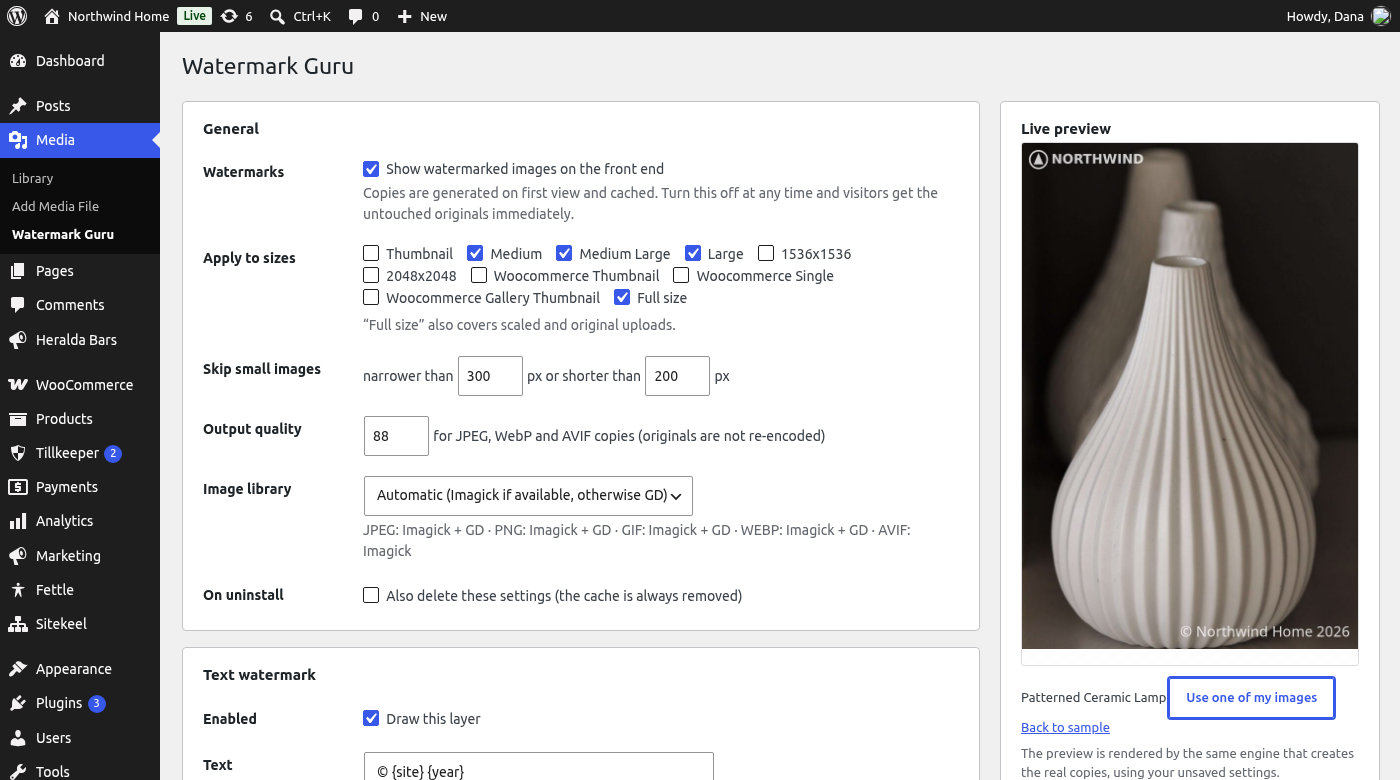 Settings with the live preview, rendered by the same engine that creates the real copies
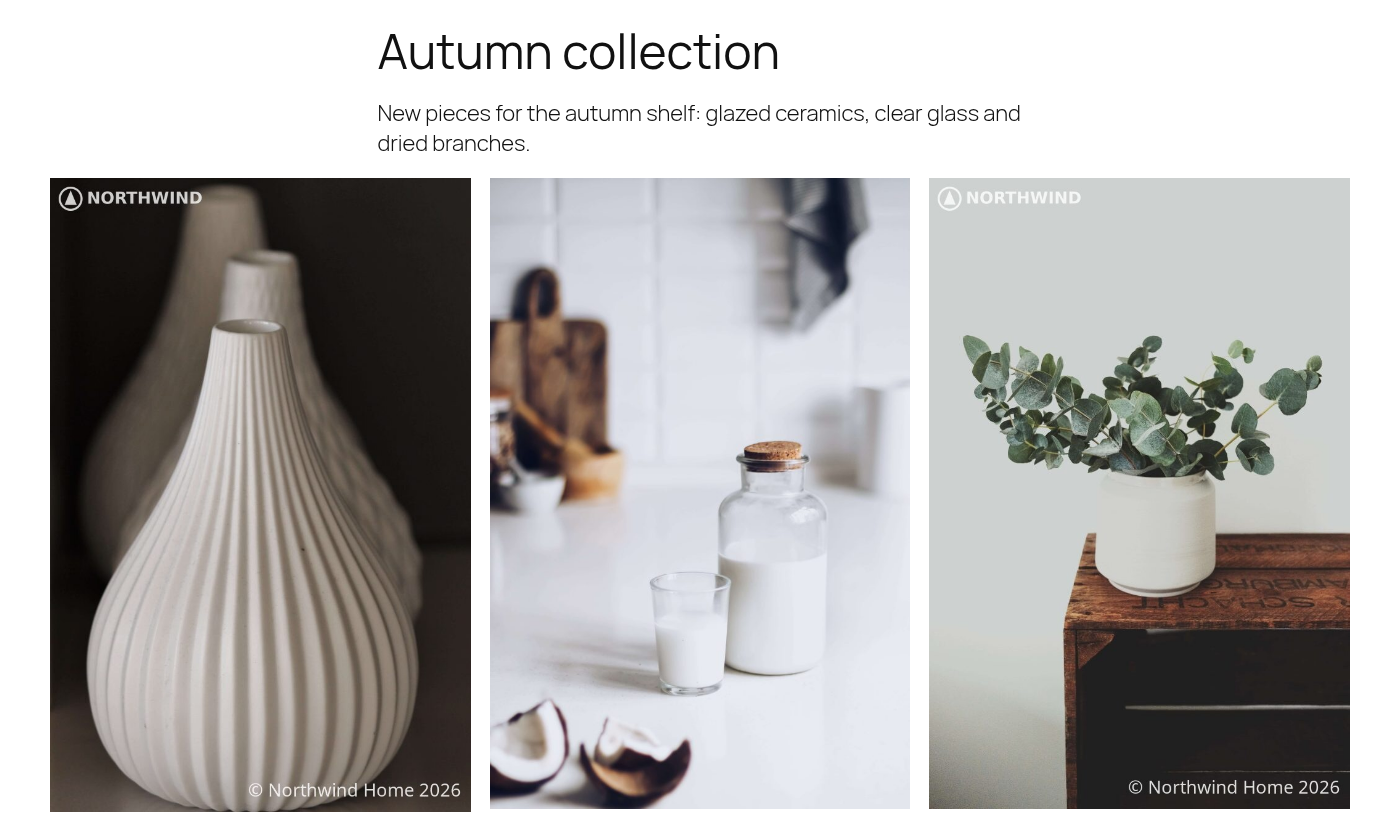 Watermarked images on the front end: a logo and a text layer, with the originals untouched
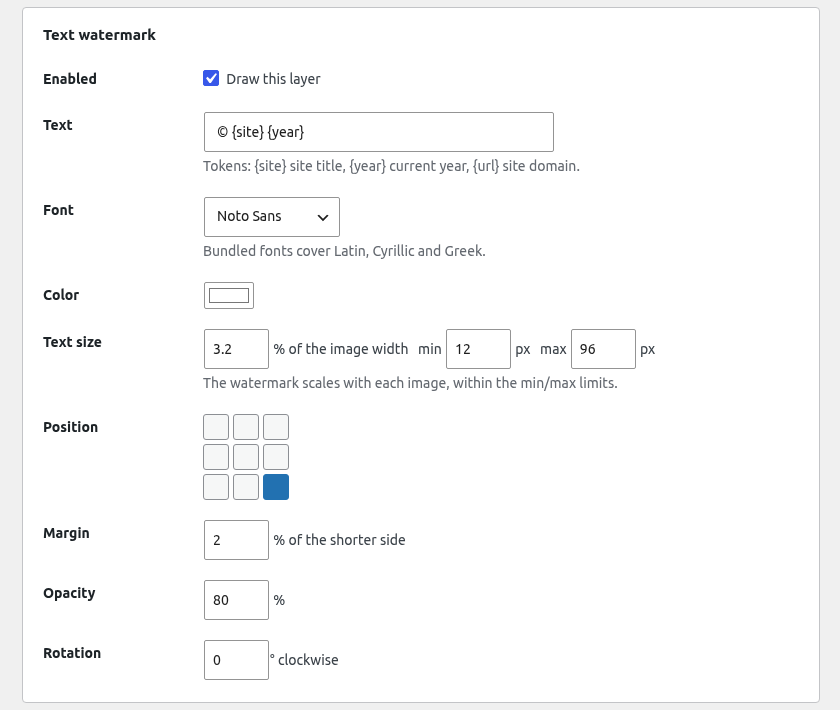 Text layer: tokens, bundled fonts, relative size with min/max limits, nine positions
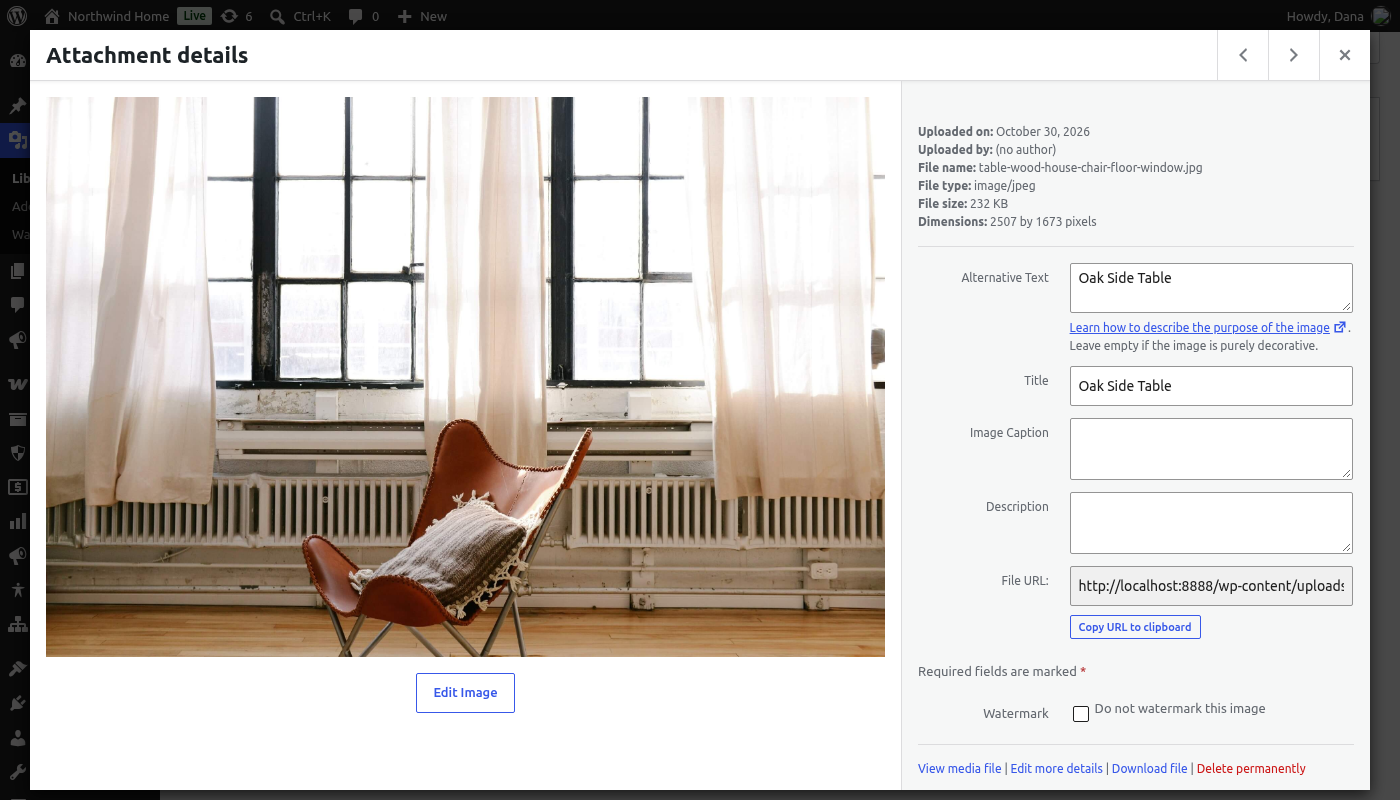 The "Do not watermark this image" switch on every attachment
Frequently asked questions
Does it change my original files?
What happens if I deactivate or uninstall the plugin?
Can someone still get the original image?
Are animated GIFs and WebP images watermarked?
Will my page-builder images be watermarked?
Which image library do I need?
Why download from GitHub and not WordPress.org?
When is Filigrane Pro available?
Ready to Protect Your Images the Safe Way?
Download Filigrane free from GitHub, set up your text or logo with the live preview, and switch it on. Filigrane Pro with profiles and rules is coming soon.
Free, with no restrictions or nag screens · Originals never modified · No external services