Fix Accessibility in Your Content — Not With an Overlay
LiveFettle scans your posts and pages from the admin side, explains every problem in plain language, and puts the fix into the post itself — with optional AI-drafted alt text, contrast colours, and link text you always review before applying. Zero front-end footprint, so your pages load exactly as fast as before.
How it works
Install & Scan
Install Fettle, open it in the admin menu and click "Scan now" — every check runs locally, no key or account needed.
Review the Findings
A plain-language digest tells you where to start, then each finding shows its severity, what is wrong, and why it matters.
Fix It in the Content
Apply a fix — or generate an AI suggestion first — and it is written into the post itself. Mark anything that is fine as "Not an issue".
What's included
Missing Alt Text
FreeFinds images with no alt attribute at all. Images you deliberately marked as decorative (alt="") are respected, not flagged.
Colour Contrast
FreeUses the W3C relative-luminance formula and resolves colours from your theme's palette (theme.json), so results reflect what visitors actually see.
Heading Order
FreeCatches skipped heading levels, multiple H1s and empty headings that break screen reader navigation.
Form Labels
FreeFlags input, select and textarea fields that a screen reader cannot name.
Link Text
FreeSpots "click here", bare URLs and other link text that does not say where the link goes.
Theme Landmarks
FreeChecks your active theme's front page once for a main content area, navigation, banner and footer region.
AI-Drafted Fixes, You Stay in Control
FreeWith your own Gemini, Claude, OpenAI, Grok or OpenRouter key, get alt text, a passing text colour, or descriptive link text for one finding at a time — always previewed, never applied automatically.
Smart Caching, Dismissals & Site Health
FreePages are re-scanned only when their content changes, single findings can be marked "Not an issue", and Site Health shows your AI provider status with an explicit "Test connection" button.
Bulk AI-Fix Review
ProComing soon. Generates suggestions for every fixable finding in the background, then one review screen to check off any number and apply them together.
Scheduled Rescans & Regression Alerts
ProComing soon. Weekly or monthly rescans that email you only when something genuinely new turns up — a new issue, or a fixed one that came back.
Scan History & Trends
ProComing soon. A per-page record of every scheduled scan, so you can see whether your site's accessibility is trending better or worse.
Accessibility Audit Summary
ProComing soon. A report organized by WCAG 2.1 success criteria (Supports / Partially Supports / Does Not Support) in a VPAT-inspired format, citing the actual findings behind each one.
See it in action
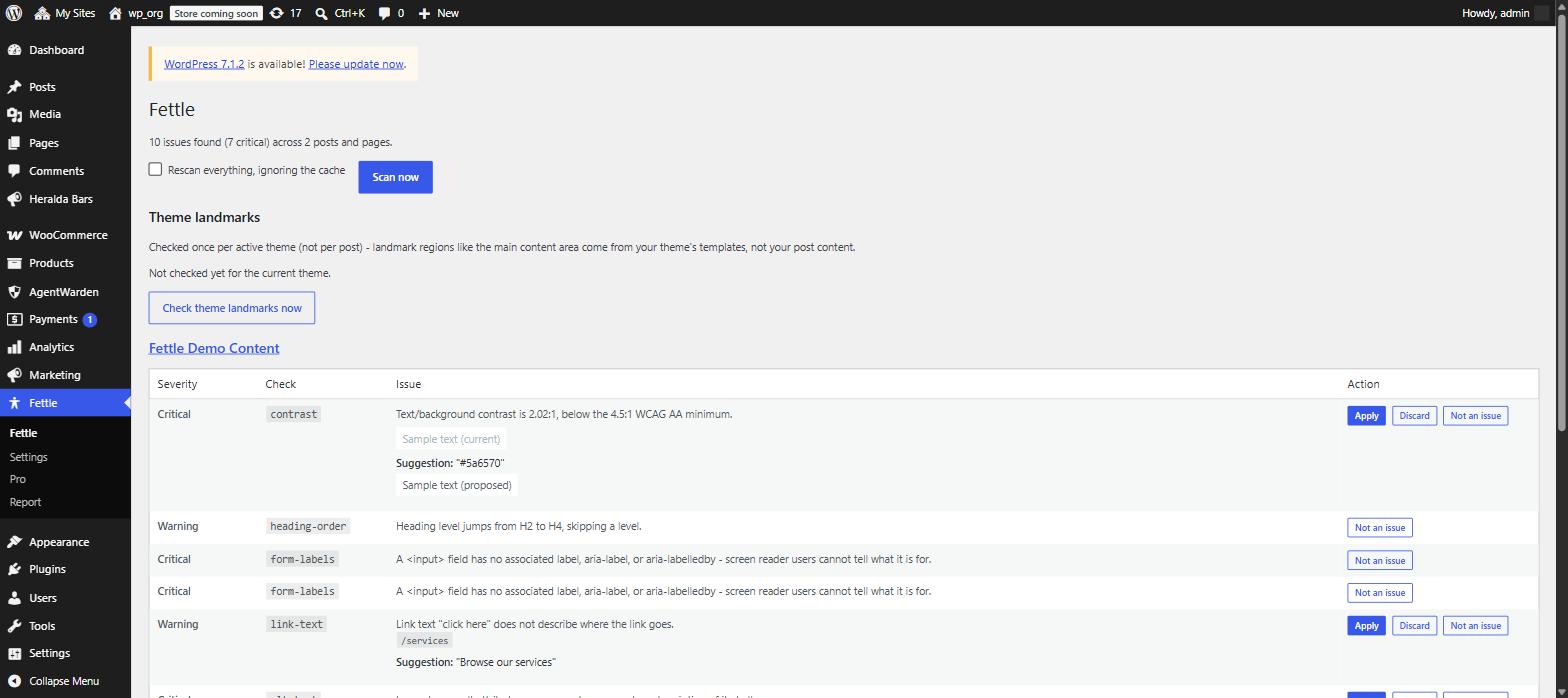 Scan results: a plain-language digest, then per-finding rows with severity and one-click actions
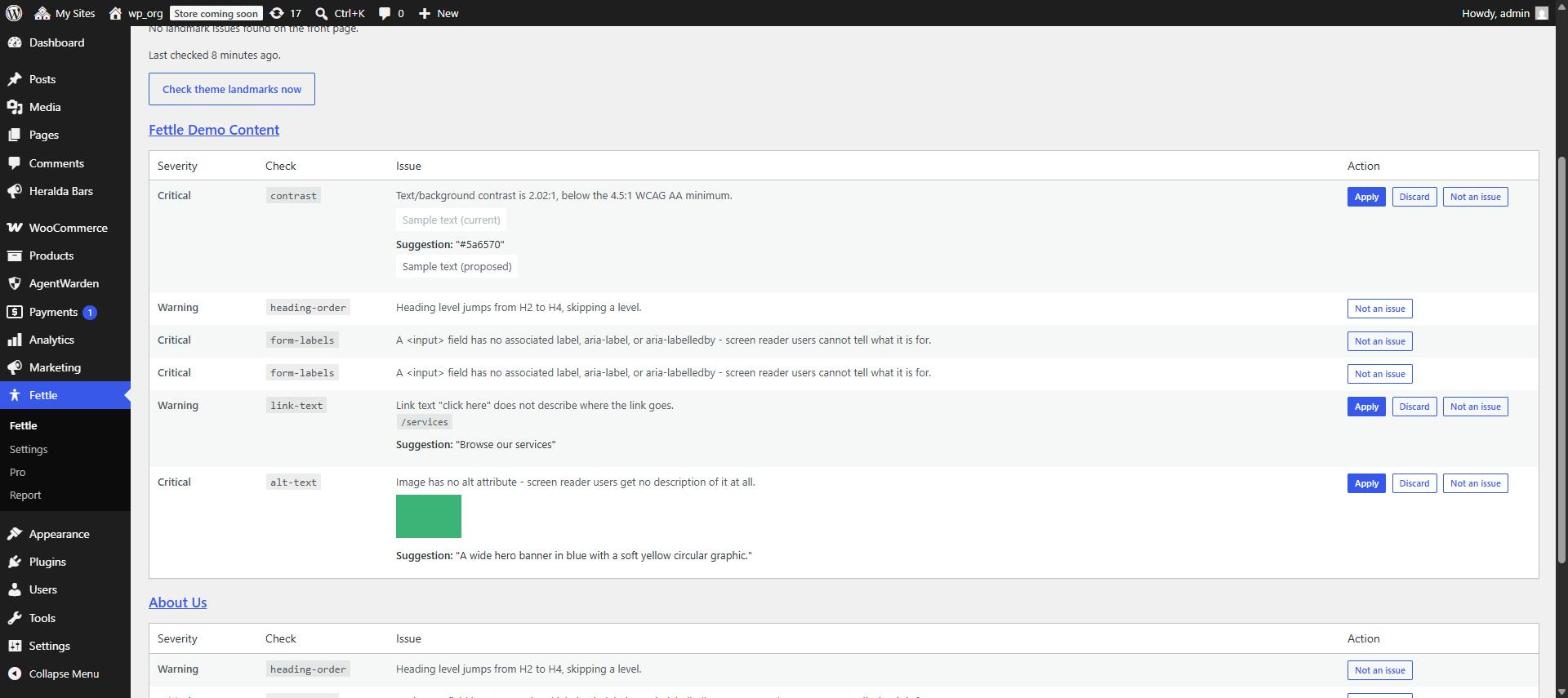 An AI-suggested fix, shown for review before you apply or discard it
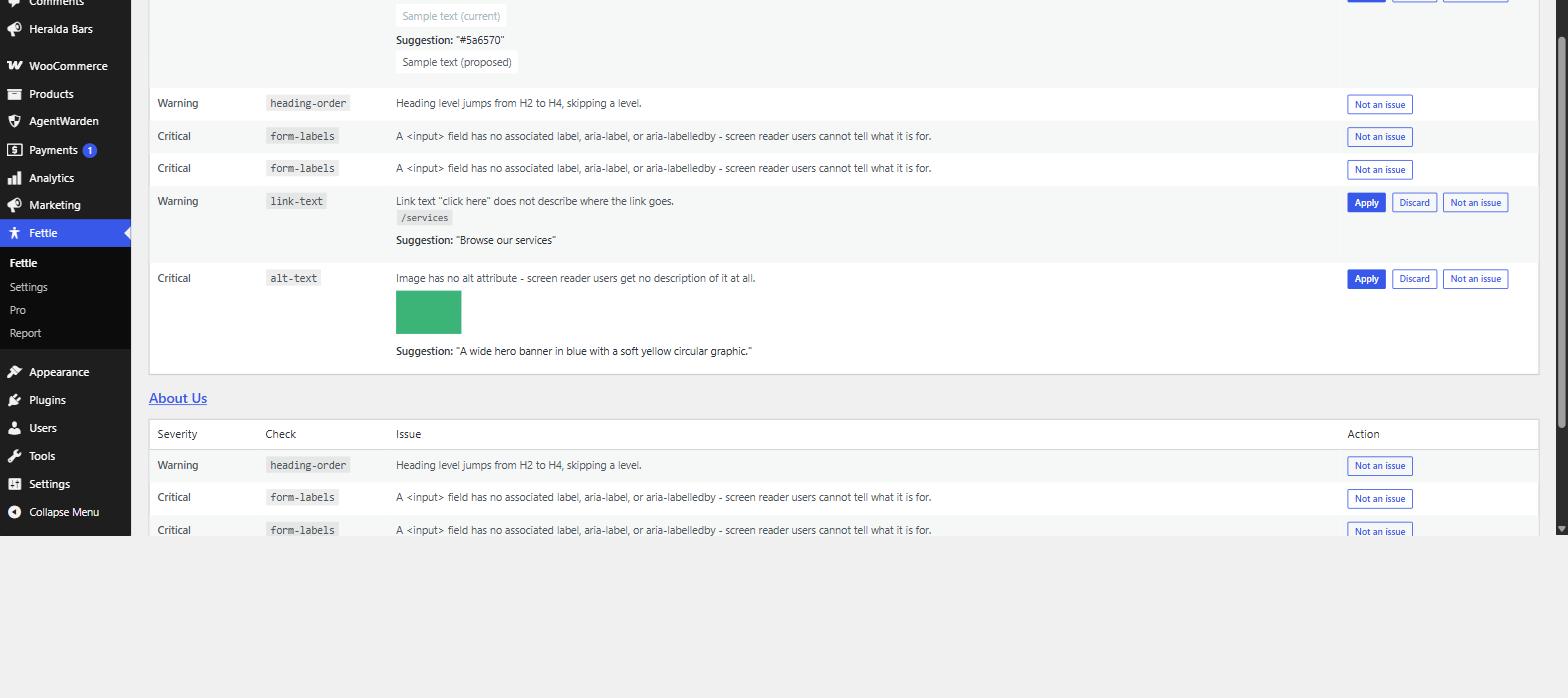 Apply / Discard / Not an issue actions for contrast, link text and missing alt text
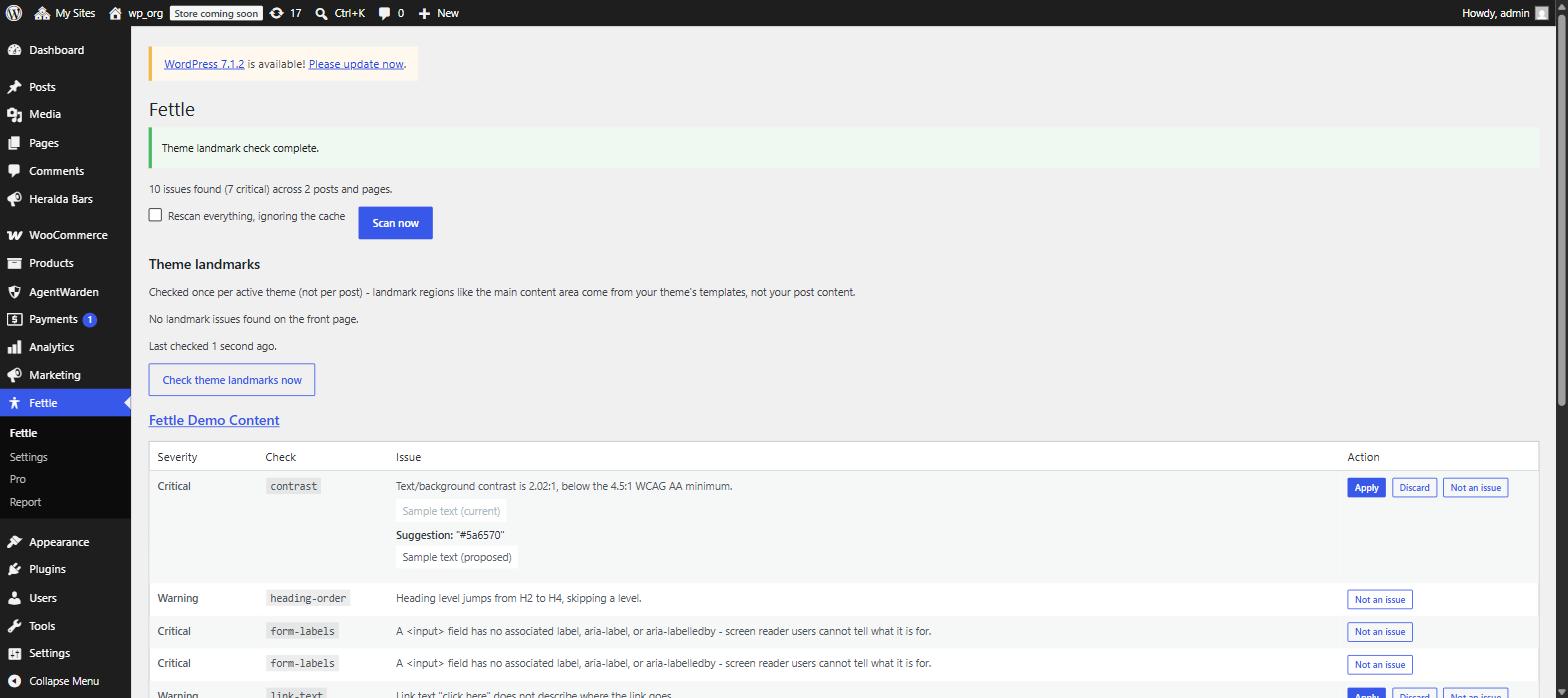 Theme landmarks check for the active theme's front page
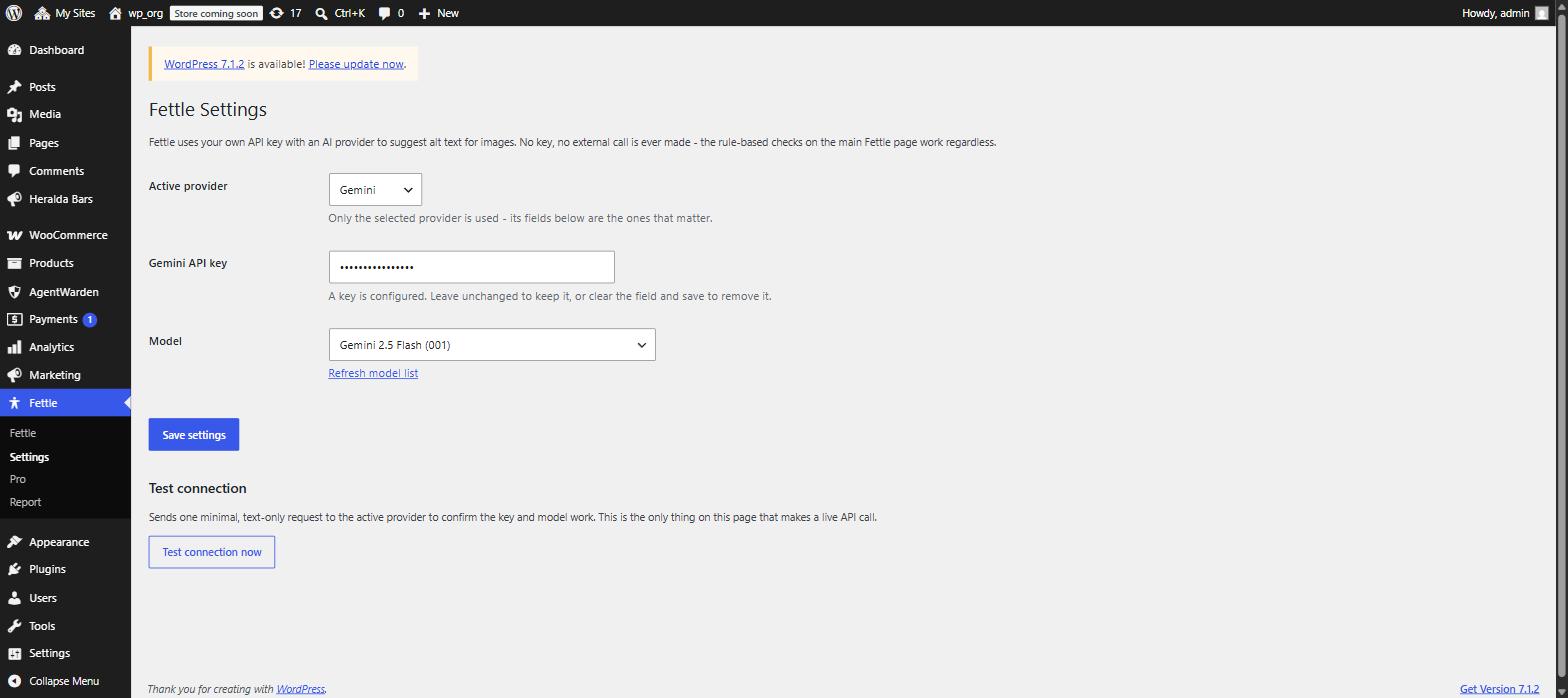 Settings: pick an AI provider and paste your own API key
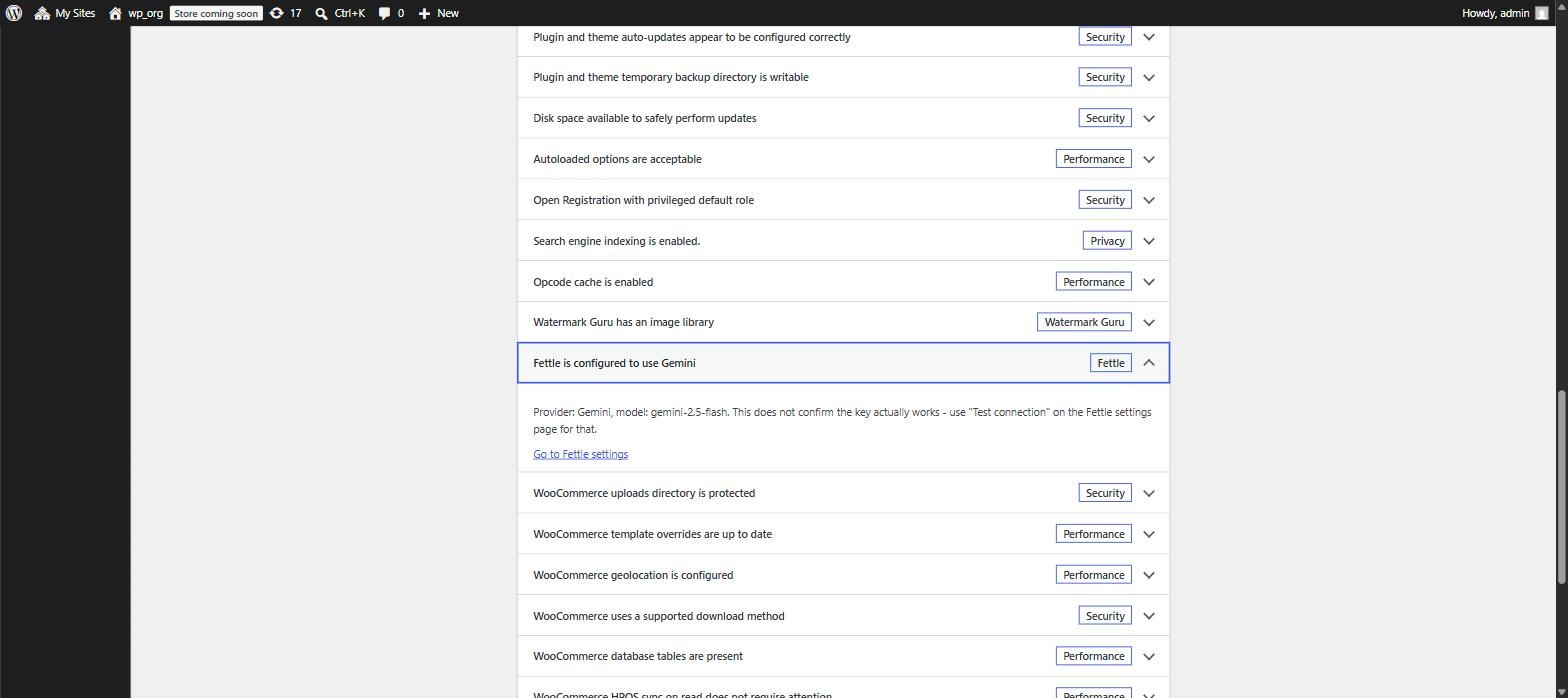 Site Health shows which AI provider is configured, without a live API call
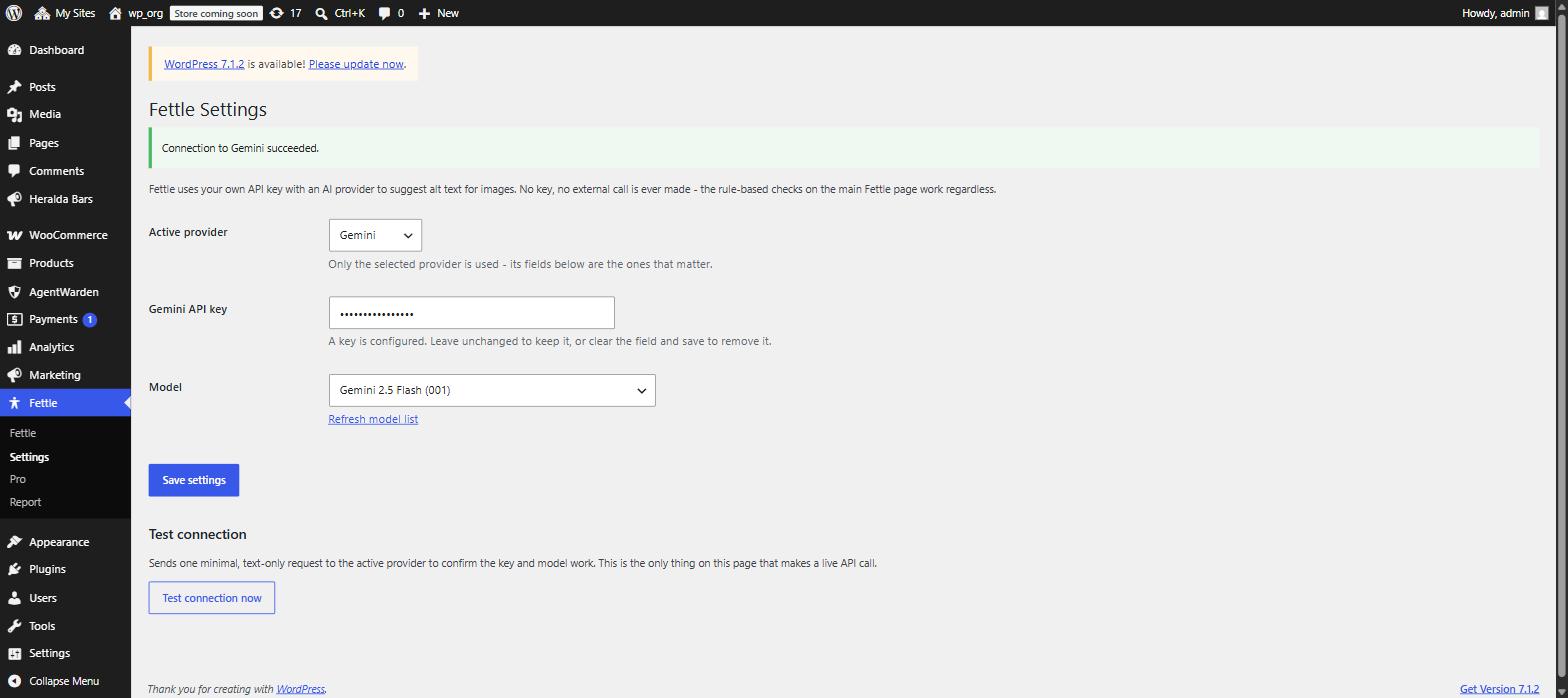 Site Health "Test connection": an explicit, one-off API key check
Frequently asked questions
Does this add a widget or overlay to my site?
Will it slow down my site?
Does this make my site meet accessibility standards?
Do I have to use the AI features?
How much do the AI fixes cost?
What exactly is sent to the AI provider?
Does this work with page builders like Elementor or Divi?
When is Fettle Pro available?
Ready to Fix Accessibility for Real?
Install Fettle free from WordPress.org, click "Scan now", and see exactly what to fix first. Fettle Pro with bulk AI-fix and scheduled rescans is coming soon.
Free forever · Works fully without AI · No account or signup